#LiteracyinLife
Toolkit for use by your library
Use the video for your own presentation >>>>>> Download it here
To begin it is recommended that you download the National Campaign Toolkit - Presentation here (as presented at the 2021 National Forum)
For your reference + use. Included in the presentation are guidelines for the use of all the visual assets. Including how to use the assets for your libraries use, see from page 12.
Posters
• Download the A1 Posters here
• Download the A3 Posters here
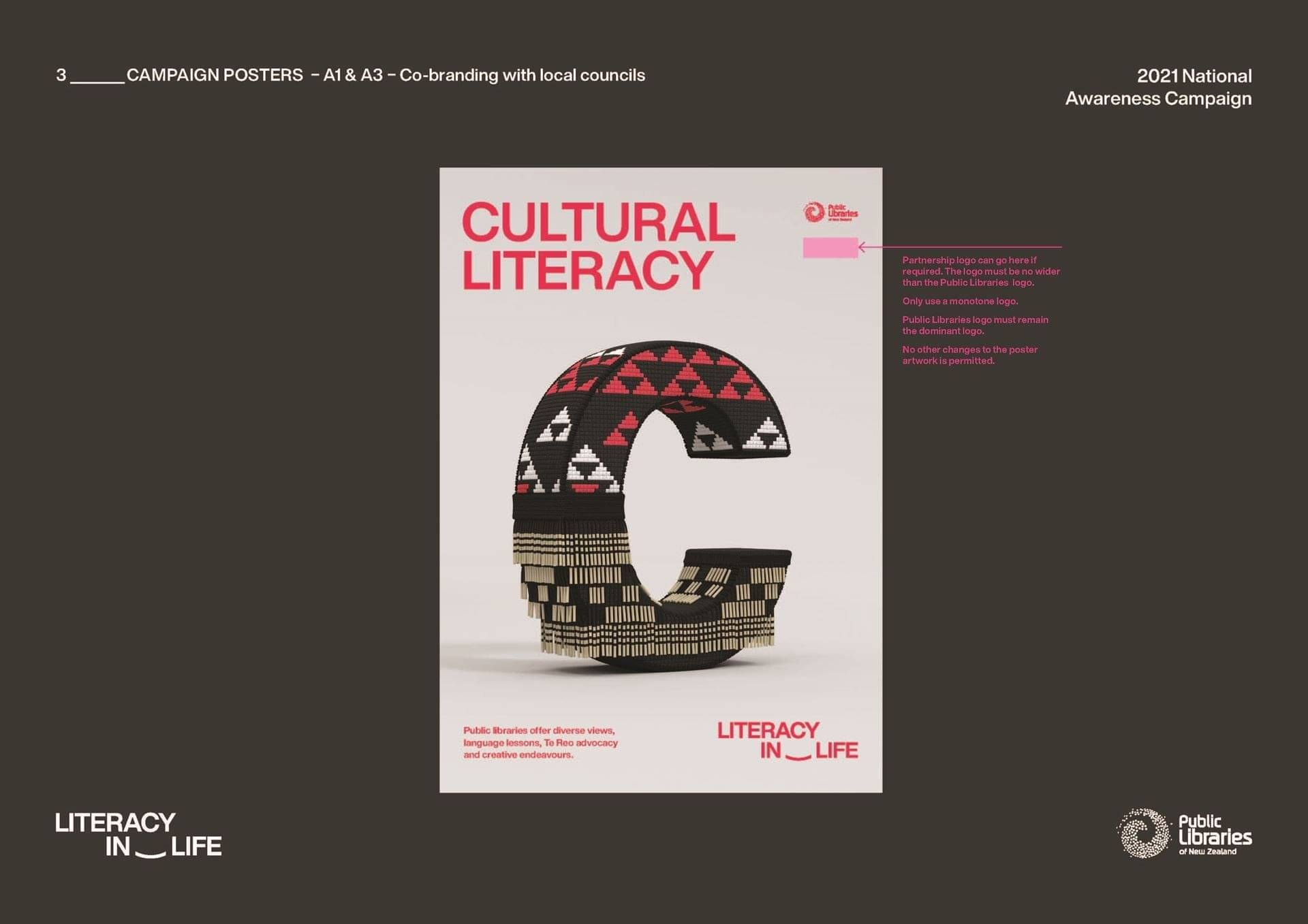
Add your local library logo to the posters
1. See page 18 (as left) of the presentation for full details
2. Download the posters (above) and follow the guidelines.
3. Take a photo of the posters and send them to us info@publiclibraries.org.nz to share with everyone.
Guidelines for adding your library logo
• Partnership logo can below the Public Libraries logo if required. The logo must be no wider than the Public Libraries logo.
• Only use a monotone logo.
• Public Libraries logo must remain the dominant logo.
• No other changes to the poster artwork is permitted.
Social Media assets
• Download motion Facebook news feed here
• Download motion Facebook stories here

Click the image to download
Static Facebook Newsfeed Image

Click the image to download
Static Facebook Newsfeed Image

Click the image to download
Static Facebook Newsfeed Image

Click the image to download
Static Facebook Newsfeed Image
Download the generic Facebook image (left) here
Use #LiteracyinLife
Follow the campaign on Facebook >>>>>>
Contact Tania: edassist@publiclibraries.org.nz with any queries or if you are unable to find the files you are looking for.
Love your Library NZ
4,534 followers
Follow us on Facebook
Email us: info@publiclibraries.org.nz